
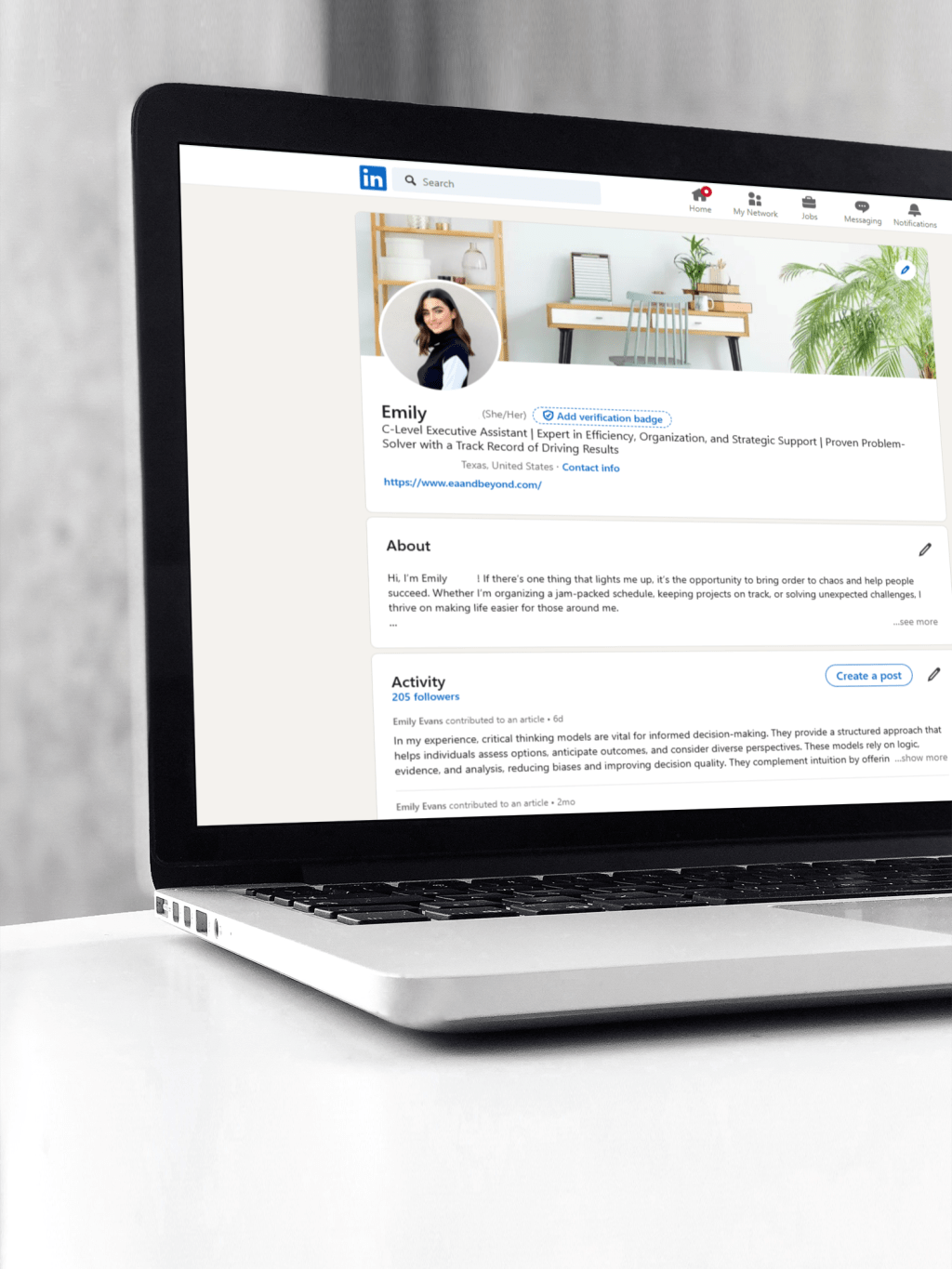
Picture this.
A recruiter is actively searching for someone with your exact skills. They type keywords into LinkedIn. Profiles start appearing.
Yours is not one of them.
Not because you are unqualified. Not because you lack experience. But because your profile is not optimized to be found.
With over one billion users, LinkedIn is not just a networking platform. It is a search engine for careers. If your profile is not built with the right structure, keywords, and signals, you stay invisible.
This guide will show you exactly how to optimize your LinkedIn profile so recruiters find you, trust you, and reach out.
Why LinkedIn Optimization Matters More Than Ever
Recruiters are no longer manually searching through resumes first. They search LinkedIn before anything else.
If your profile is optimized correctly, you can:
- Appear in recruiter searches
- Increase profile views
- Get more interview requests
- Build long term career visibility
If it is not optimized, you rely only on applying to jobs manually.
The goal is simple: make LinkedIn work for you even when you are not actively applying.
How LinkedIn Search Actually Works
LinkedIn ranks profiles based on:
- Keywords in your headline, about section, and experience
- Skills listed and endorsed
- Profile completeness
- Activity and engagement
- Relevance to search queries
Think like a recruiter. If they search:
- “Executive Assistant”
- “Digital Marketing Manager SEO”
- “Project Manager Agile”
Your profile must contain those exact phrases.
If not, you will not show up.
Step 1: Write a Keyword-Optimized Headline That Gets You Found
Your headline is the most important section of your entire profile.
It directly impacts:
- Search visibility
- Click-through rate
- First impressions
What to Include in Your Headline
- Target job title
- Core skills
- Niche or industry
- Value or results
High-Performing Headline Formula
Job Title | Key Skills | Results or Specialty
Examples
Instead of:
“Marketing Professional”
Use:
“Digital Marketing Manager | SEO, PPC, Content Strategy | Driving 150% Traffic Growth”
Instead of:
“Administrative Assistant”
Use:
“Executive Assistant | Calendar & Operations Management | Supporting C-Level Leaders”
Pro Tip
Use exact keywords from job descriptions. Do not get creative with titles.
Step 2: Create an About Section That Converts Views Into Opportunities
Your About section is where you combine storytelling with SEO.
It should:
- Build credibility
- Include keywords naturally
- Show measurable results
- Position you for your next role
SEO-Optimized Structure
Opening (Hook):
Who you are + key result
Middle (Expertise):
Skills, tools, and specialties
Proof (Achievements):
Metrics and results
Closing (Call to Action):
What you are looking for
Example Opening
“I am an Executive Assistant with 7+ years of experience supporting C-level executives, streamlining operations, and improving organizational efficiency across fast-paced environments.”
Keywords to Include
- Job titles
- Tools and software
- Certifications
- Industry terms
- Core skills
Write naturally, but strategically.
Step 3: Optimize Your Experience Section for Visibility and Credibility
Most people list responsibilities.
Top candidates show results.
How to Structure Each Role
1. Role Summary
Brief overview of responsibilities and scope
2. Achievements (Bullet Points)
Use this formula:
Action + Task + Measurable Result
Examples
Instead of:
“Managed calendars and meetings”
Use:
“Managed complex executive calendars, reducing scheduling conflicts by 40% and improving meeting efficiency”
Instead of:
“Helped with projects”
Use:
“Led cross-functional projects that increased team productivity by 25%”
Add Keywords Naturally
Include:
- Tools like Salesforce, Excel, Google Analytics
- Industry-specific terms
- Role-specific skills
Step 4: Maximize Your Skills Section for Search Rankings
This section is critical for LinkedIn SEO.
Recruiters filter candidates based on skills.
Best Practices
- Add 30 to 50 skills
- Use exact phrases from job descriptions
- Prioritize top 3 skills
Skill Categories
- Core skills
- Technical tools
- Soft skills
- Industry-specific skills
Examples
- Project Management
- Calendar Management
- Data Analysis
- SEO
- Stakeholder Communication
Step 5: Add Certifications and Credentials Strategically
Certifications increase:
- Trust
- Search visibility
- Credibility
Where to Add Them
Use the dedicated “Licenses & Certifications” section.
Include
- Full certification name
- Issuing organization
- Dates
Even short online certifications can help if relevant.
Step 6: Make Your Profile Visually Strong
Profiles with photos get significantly more views.
Profile Photo Tips
- Clear headshot
- Neutral background
- Professional attire
- Good lighting
Banner Tips
Use your banner to reinforce your brand:
- Industry visuals
- Personal branding
- Clean, simple design
Step 7: Get Recommendations That Build Trust
Recommendations act as social proof.
They validate your skills better than anything you write.
Who to Ask
- Managers
- Clients
- Senior colleagues
How to Ask
Be specific about:
- Project
- Skills to highlight
- Results achieved
Aim for at least 3 to 5 strong recommendations.
Step 8: Use “Open to Work” the Right Way
This feature increases visibility with recruiters.
Best Practices
- Add multiple job titles
- Include remote and hybrid options
- Keep it updated
Choose visibility:
- Recruiters only for privacy
- Public if actively job searching
Step 9: Stay Active to Boost Visibility
LinkedIn rewards engagement.
You do not need to post daily, but you should:
- Comment on industry posts
- Share insights
- Engage with your network
Even light activity improves ranking.
Step 10: Optimize Your Profile for Voice Search and AI
With AI tools and voice search increasing, your profile should include:
Conversational Keywords
Example:
Instead of just “Project Management”
Use phrases like:
“Managing cross-functional projects from planning to execution”
Natural Language
Write like people speak.
This helps:
- Voice search visibility
- AI-driven recruiter tools
- Search relevance
LinkedIn Profile Optimization Checklist
Before you consider your profile complete:
- Headline includes keywords and value
- About section is structured and results-driven
- Experience includes measurable achievements
- Skills section is fully filled out
- Certifications are added
- Profile photo is professional
- Banner supports your brand
- Recommendations are present
- Open to Work is enabled (if needed)
- Profile is active and updated
Common LinkedIn Mistakes to Avoid
- Using a generic headline
- Listing duties instead of results
- Ignoring keywords
- Having an incomplete profile
- Inconsistent information with resume
- No activity or engagement
Turn LinkedIn Into Your Career Asset
Your LinkedIn profile is more than an online resume.
It is your personal marketing tool.
When optimized correctly, it works for you 24/7:
- Attracting recruiters
- Building credibility
- Creating opportunities
You do not need to be perfect.
You just need to be visible, clear, and strategic.
Start with one section today. Then improve the rest step by step.
That is how you go from invisible to in-demand.
You Might Also Enjoy:






Leave a comment